For Jira Cloud

The right people.
The right issues.
In view.

Bring your team into the loop with group watcher rules, personal project subscriptions, and a little less manual work.

Explore the guide →
Built for Jira CloudHosted on Atlassian ForgeYour Jira permissions still apply

A wider view.
A simpler workflow.

Connect teams to the work they follow, without adding the same people to every new issue by hand.

Bring groups into the loop.

Project admins choose Jira groups and individual users. Matching rules expand groups into eligible individual watchers.

Follow a whole project.

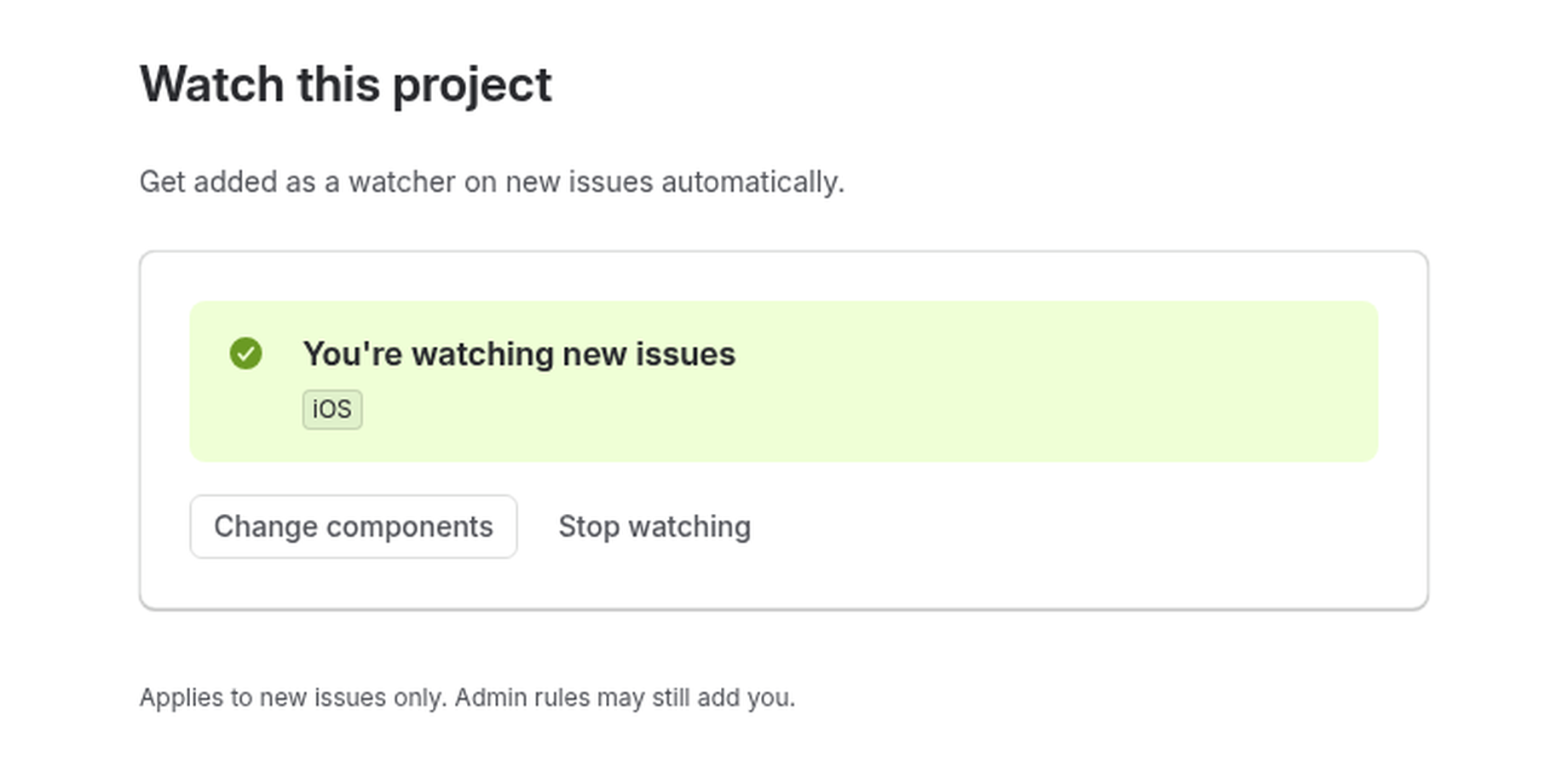
People can opt in to new issues in a project, or narrow their subscription to a component. Their choice, in one place.

Keep your focus.

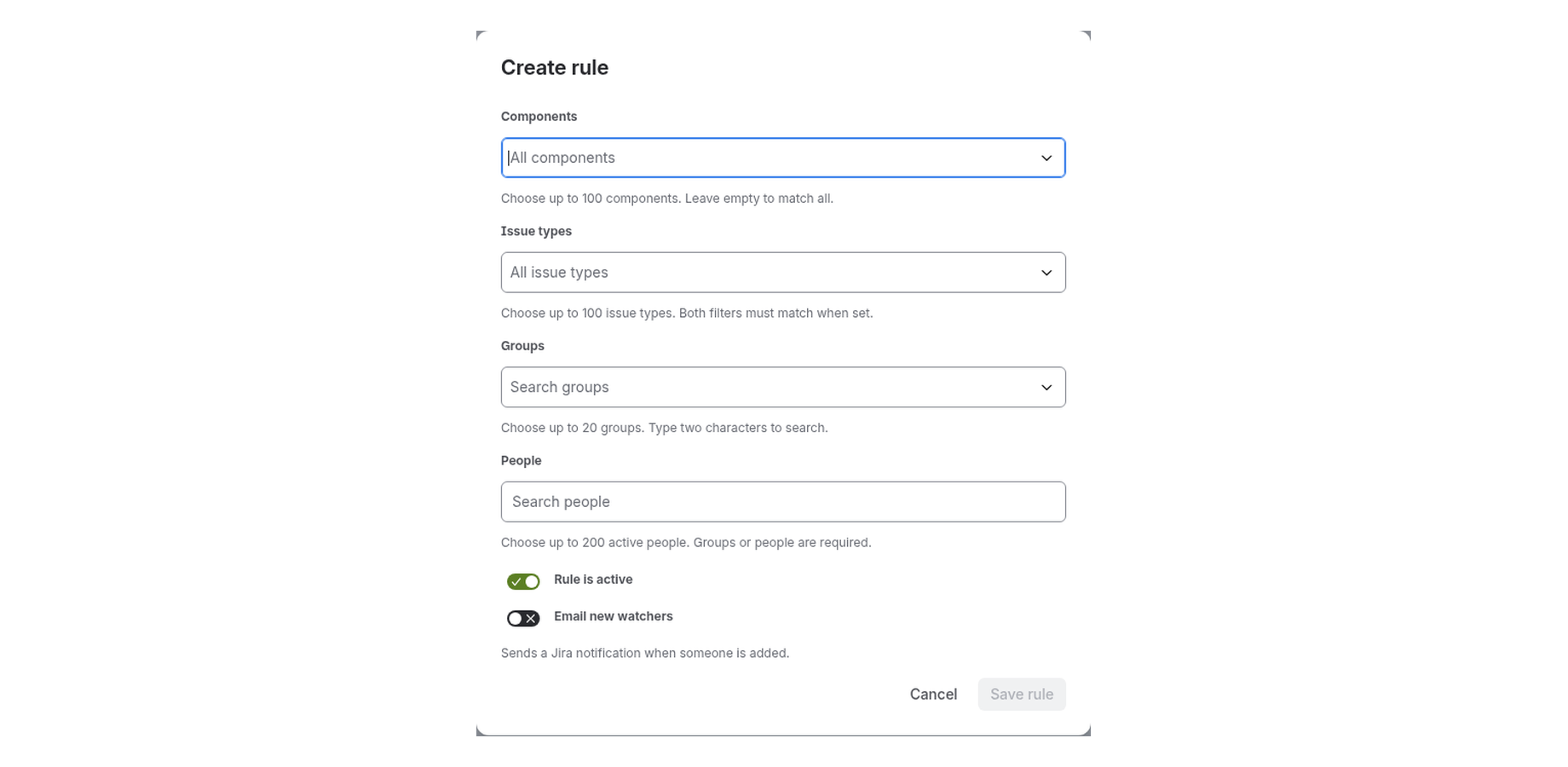
Filter admin rules by components and issue types. Empty filters cover the project; combined filters must both match.

Give existing work a place in the picture.

Admins can explicitly apply a saved rule to existing issues with resumable backfill and saved progress. It sends no app addition-notification emails.

Notify only when you choose.

Optional rule addition notices are off by default. Enable them per rule; Jira uses its notification permissions and delivery settings.

Choose who follows.
Let rules do the repetition.

  1. Set the scope.

    Open project settings. Choose groups or people and the components or issue types they should follow.

  2. Enable your rule.

    Save the configuration and enable it when ready. The app processes matching new issues within Jira permissions.

  3. Stay in view.

    Eligible accounts become individual watchers. Personal opt-in and historical backfill have their own controls.

Subscriptions, rules and progress in one place.

Set up watcher rules, target them precisely and let people follow the projects they care about.
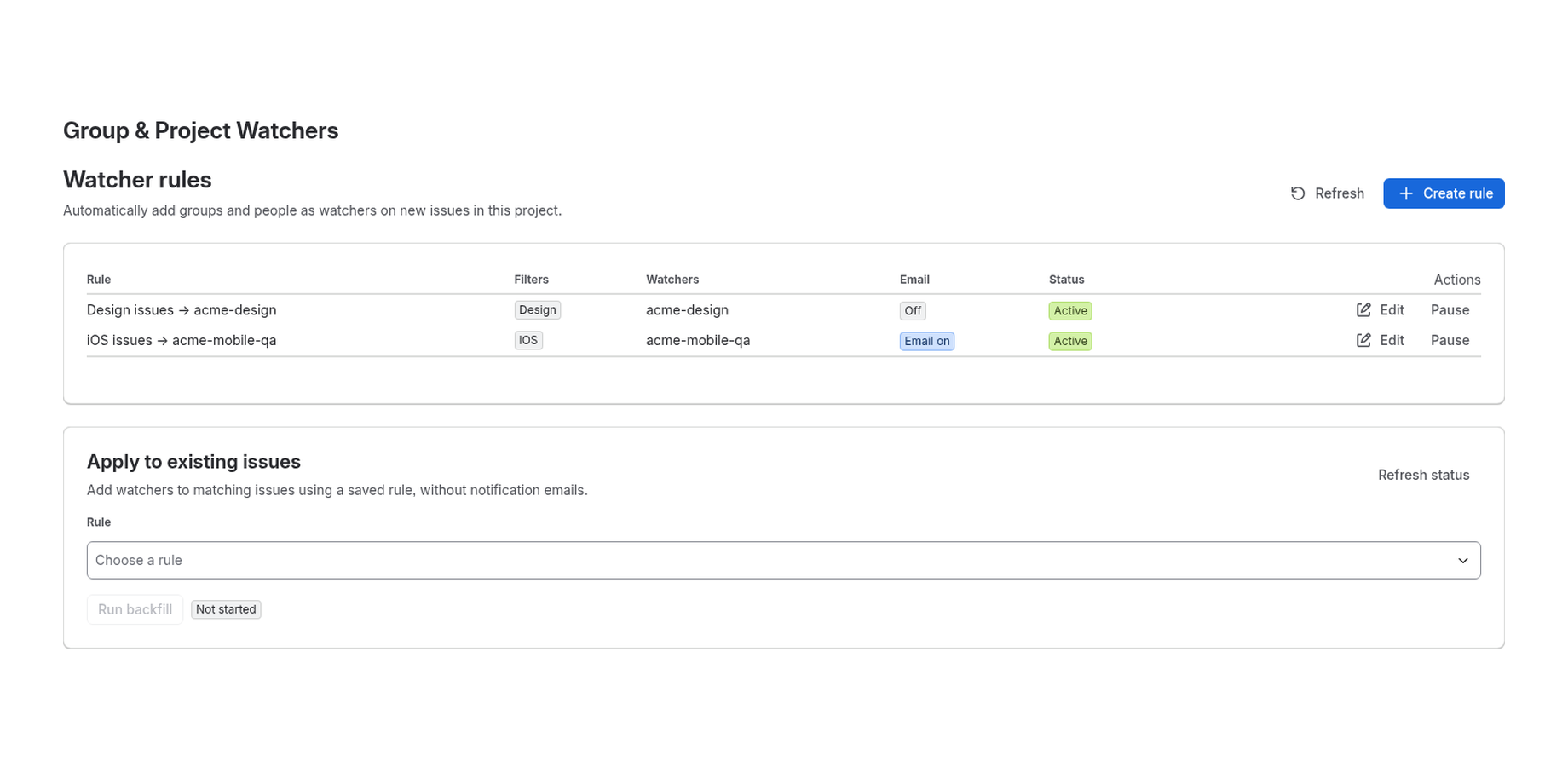
Watcher rules list showing two active rules with component filters, watcher groups, email setting and an Apply to existing issues backfill panel
Add groups as watchers on every new issueSee every watcher rule in a project at a glance: filters, the groups it adds and whether email is on. Edit or pause a rule in one click, or apply it to existing issues without notification emails.
Create rule form with component, issue type, group and people pickers, an active toggle and an optional email new watchers toggle
Target rules by component and issue typeChoose up to 20 groups and 200 people, then narrow the rule by component and issue type. Leave filters empty to cover the whole project, and decide whether new watchers get a Jira email.
Watch this project panel confirming the user is watching new iOS issues, with Change components and Stop watching buttons
Let anyone follow new issues in a projectTeam members opt in to watch new issues in a whole project or only the components they care about. Change components or stop watching anytime, with no admin help needed.

Fits your Jira.
Respects its controls.

The app runs on Atlassian Forge. Watcher rules and personal subscriptions stay with your work in Jira.

Read the security statement →
  • Permissions stay in place.Adding a watcher does not grant access to an issue. Project administration and user access are checked separately.
  • Configuration, not issue content.Application records retain identifiers, preferences and processing state, rather than issue summaries, descriptions or comments.